The guide
Both sides of a passport
A vehicle passport has two users who never meet. One creates the record, usually at registration or at a service. The other checks it, usually minutes before handing over money. This page walks both journeys, screen by screen, and says why each step works the way it does.
Every screenshot below is the real interface, captured from the running product against the compiled circuits. None of it is a drawing of something we intend to build.
Part one · Creating a record
This is the registrar's path: a manufacturer, a registration authority, a tester or a workshop putting a vehicle on the register. Open the intake console in another tab and follow along. Seven steps, and the last one runs real circuits.
C01
Say what kind of passport this is
What to do
Pick new vehicle if the record starts at the factory, or existing vehicle if you are bringing a car that already has a history onto the register.
Why it works that way
The answer is itself a field on the chain, at slot 30. A record that begins at zero kilometres is a much stronger statement than one that begins mid-life, and a verifier is entitled to know which they are reading. Hiding that distinction would make every later claim harder to trust, so the passport carries it in the open.
C02
Choose a demonstration vehicle, or fill the form yourself
What to do
The list is filtered by the passport type you just chose. Pick one and the fields below fill in, or ignore it and type your own.
Why it works that way
The demo fleet exists so you can walk the whole path without inventing plausible data, and every vehicle in it is fictional. If you are trying this with a real car, fill the form yourself. Nothing you type is sent anywhere until you press the button at the end.
C03
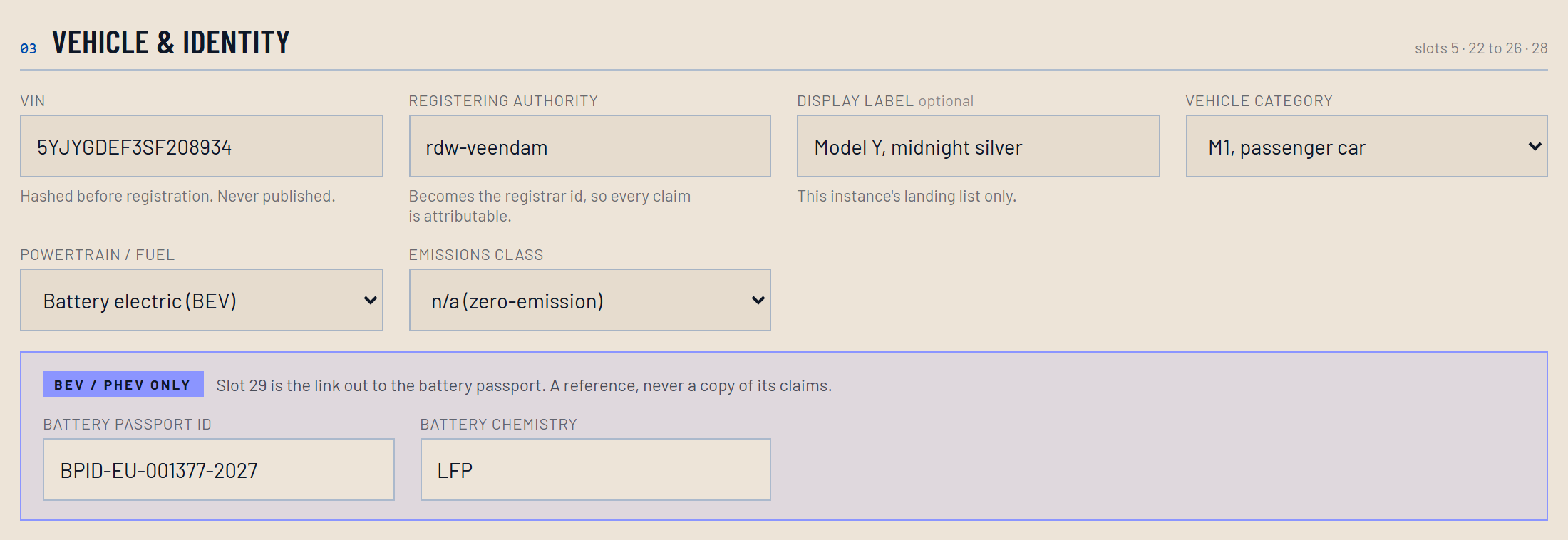
Enter the VIN and the identity fields
What to do
The VIN, the registrar, a short description, the vehicle category and fuel type, and the battery passport identifier if the vehicle has one.
Why it works that way
The VIN is hashed in your browser before anything leaves it. That hash is the only vehicle identifier that ever reaches the chain, and every field slot is derived from it, which is why two vehicles can never collide and why reading the chain gives nobody a list of VINs. The battery identifier is the join to the battery passport, which becomes mandatory in February 2027, five years before this one does.
C04
Record the values as they stand at registration
What to do
Mileage, accident count, keepers, write-off category, service count. Enter what is true at the moment the record is created.
Why it works that way
These five go in under an integrity rule that is fixed at creation and cannot be changed afterwards: none of them may ever fall. That is the heart of the thing. A later write that would make the odometer smaller is not rejected by a server choosing to be strict. The circuit cannot produce a proof for it, so there is nothing to submit.
C05
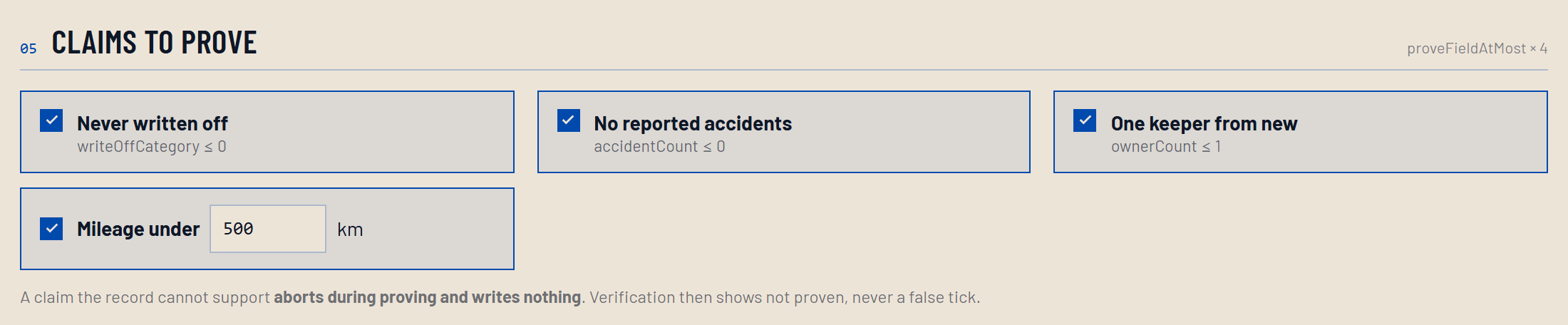
Choose the claims to prove
What to do
Tick the questions you want this passport to be able to answer. Each one becomes a separate proof.
Why it works that way
A claim is a question with a bound, not a value. Proving "no reported accidents" publishes the bound and a commitment; it never publishes the count. Tick only what a buyer will actually ask, because each claim is a real proof with a real cost, and an unasked question is better left unanswered than answered expensively.
C06
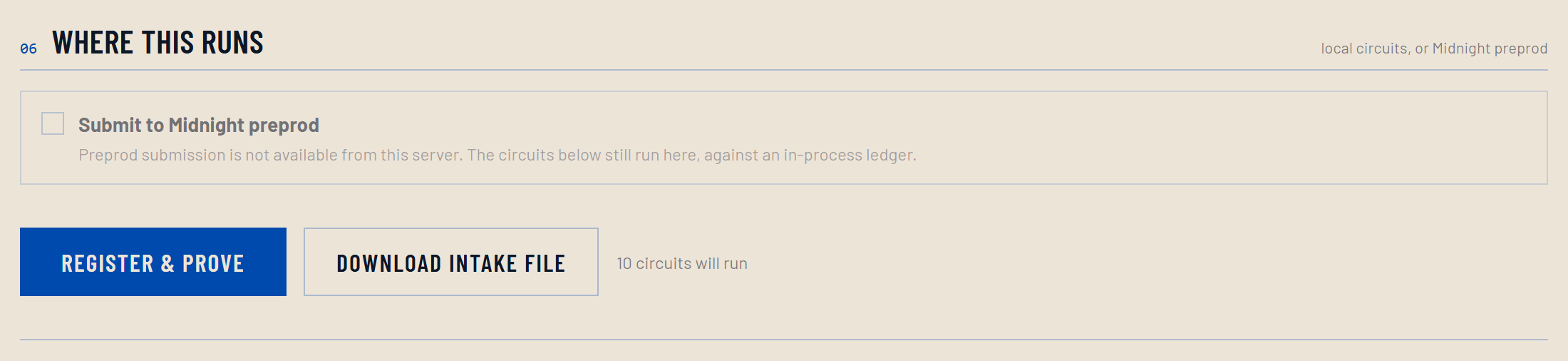
Choose where it runs, then register and prove
What to do
Local circuits run the real compiled contract on this machine, with no fees and no network. Preprod submits to the Midnight test network. Then press REGISTER & PROVE.
Why it works that way
Both options run the same circuits, so a local run proves exactly the same things about the record. What it does not do is leave a public trace. Choose preprod only when you want that trace, because those writes are permanent: a VIN can never be registered twice, and a field is initialised once with its rule fixed at that moment.
C07
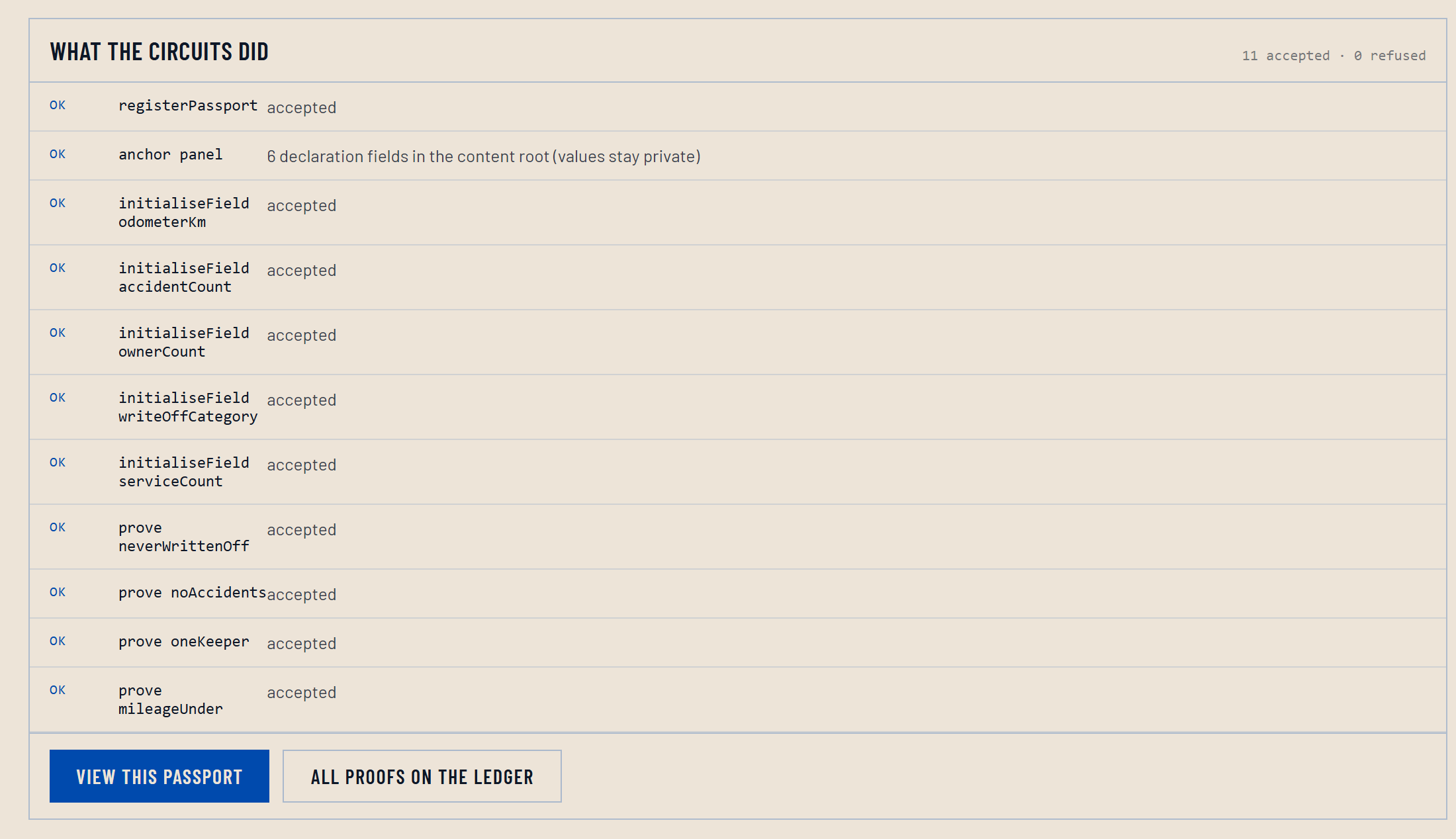
Read what the circuits did
What to do
Each row is one circuit call and whether the contract accepted it. The counter at the top right gives the totals.
Why it works that way
This is the record of the run, not a success banner. Had a claim been refused it would say so here, and nothing would have been written for it. That is the behaviour worth watching: a refusal leaves no transaction behind, because a proof that cannot be produced is never submitted. From here, VIEW THIS PASSPORT shows what a buyer would see.
Before you do this for real
On a public network these writes cannot be undone. A VIN cannot be registered a second time, and a field is initialised once with its integrity rule fixed at that moment. Run it locally until the record you are entering is the record you mean.
Part two · Verifying a record
This is the buyer's path, and it needs no wallet, no account and no login. Scan a code, or open the verify page. Nine steps, and the last one is checking the answer without us.
V01
Read what the page is before you read the answer
What to do
The block at the top says what this page is, who it is for, and what it does not do.
Why it works that way
A verdict with no stated scope is worth very little. This page is one buyer’s view of one vehicle, and saying so first is what lets the rest of it be read plainly.
V02
Look at what identifies the vehicle
What to do
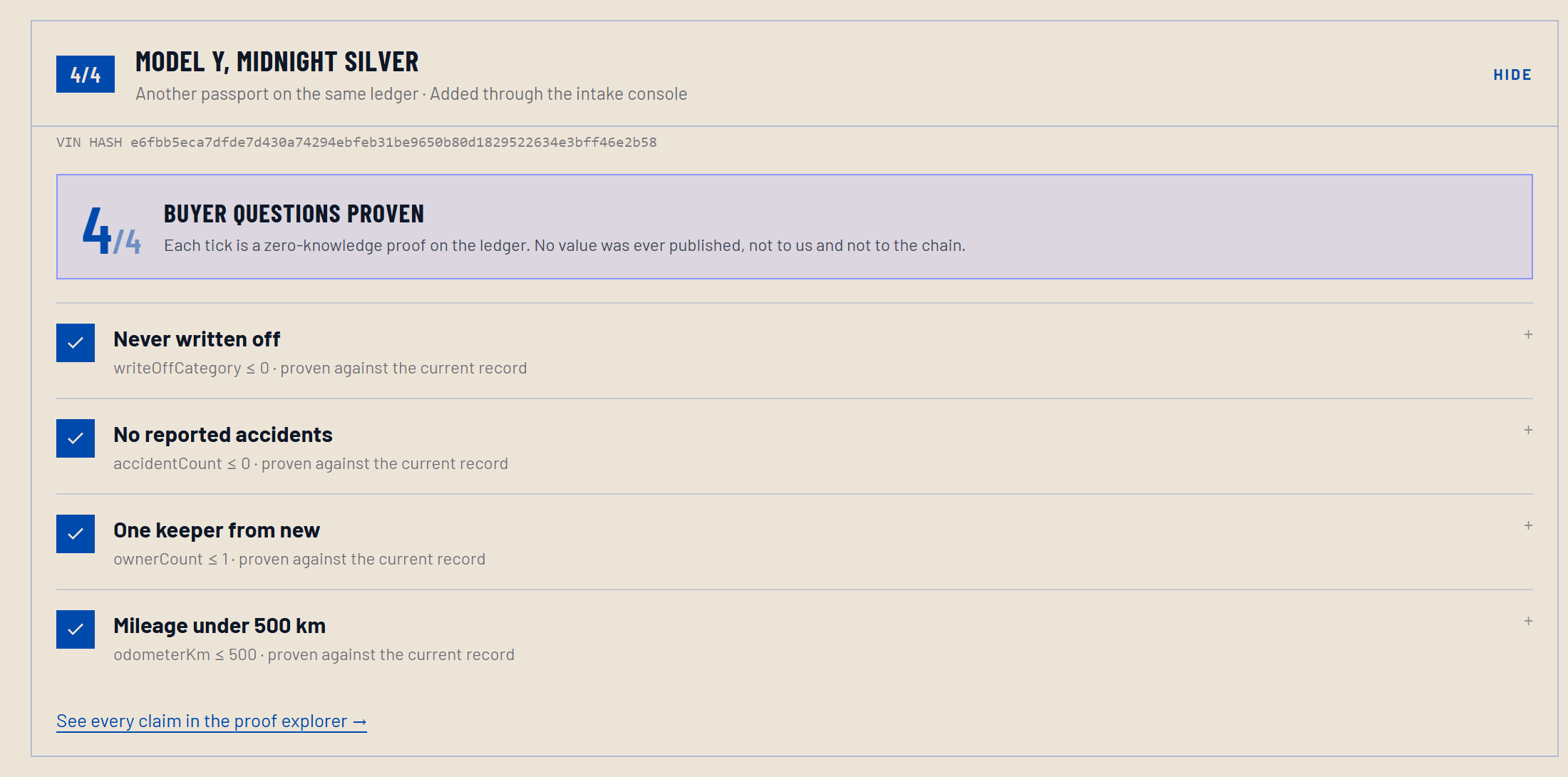
The heading names the vehicle in human terms. Underneath it is the VIN hash.
Why it works that way
You are being shown a hash, not a VIN, and that is deliberate. The hash is what the chain holds. Hashing runs one way, so publishing it hands nobody the VIN, while still letting you confirm you are reading the record for the car in front of you.
V03
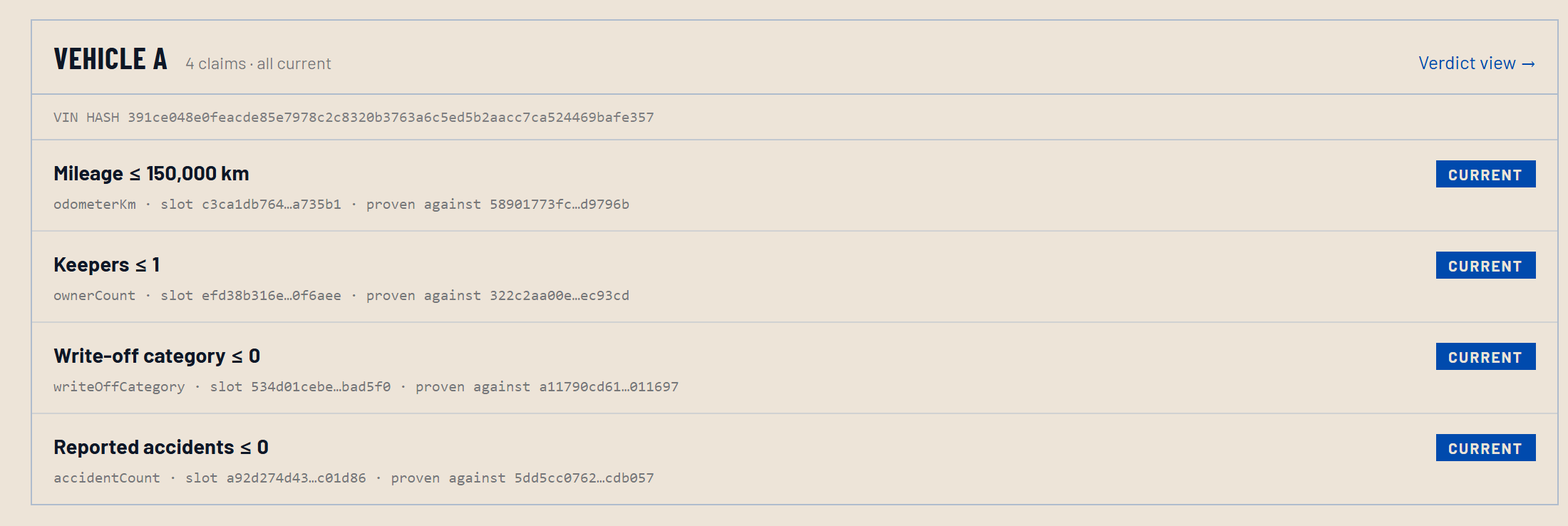
Read the four questions
What to do
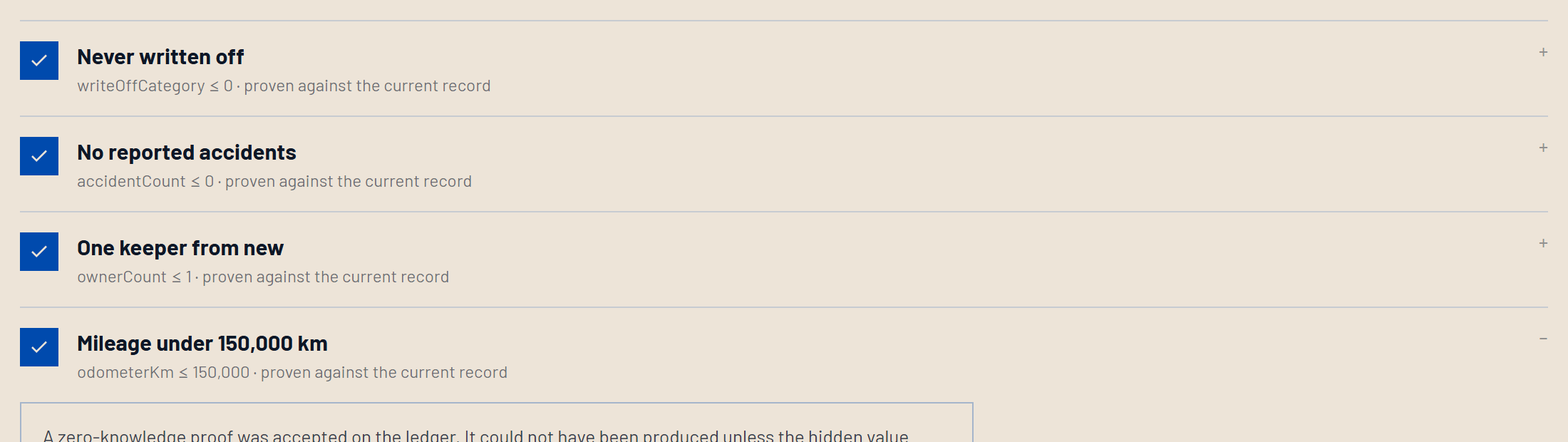
Each row is one question, with a tick where the record answers it and a dash where it does not.
Why it works that way
These are the questions a used-car buyer actually asks. The page puts the answer and the bound on the same line, so you see not only that the record answered but exactly what it answered. "Under 150,000 km" is a different statement from "under 10,000 km", and the row says which one was proven.
V04
Open one claim and read the proof
What to do
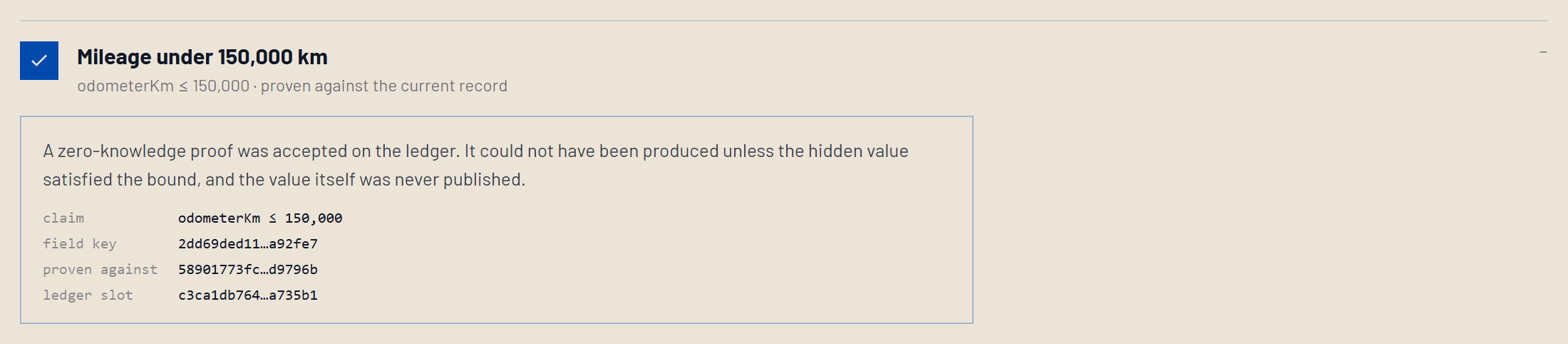
Expand any row. You get the claim, the field key, the commitment it was proven against, and the ledger slot.
Why it works that way
This is the whole product in one box. A zero-knowledge proof was accepted on the ledger, and it could not have been produced unless the hidden value satisfied the bound. The value is not here because it was never published. You are not being asked to trust that we hide it carefully; it was never on the chain to hide.
V05
Read what a tick does not mean
What to do
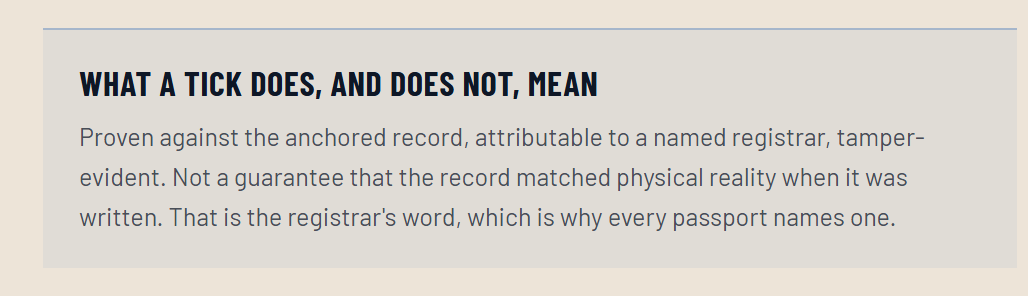
The caveat sits on the page by default, not behind a link.
Why it works that way
A proof shows that the record says so, and that the record has not been changed since. It does not show that the record matched the physical car when it was written. That is the registrar’s word, which is why every passport names one, and why this page says so out loud rather than letting a tick imply more than it carries.
V06
Understand that not proven is not a no
What to do
Open the second vehicle. Most of its rows say not proven.
Why it works that way
A failed proof writes nothing at all, so from outside, a claim nobody tried and a claim the record could not support look identical. The page therefore refuses to render silence as a denial. Not proven is a question the seller has declined to answer, and if the claim were true of the record, producing it would cost one transaction. Asking for it is reasonable.
V07
Check what the chain actually holds
What to do
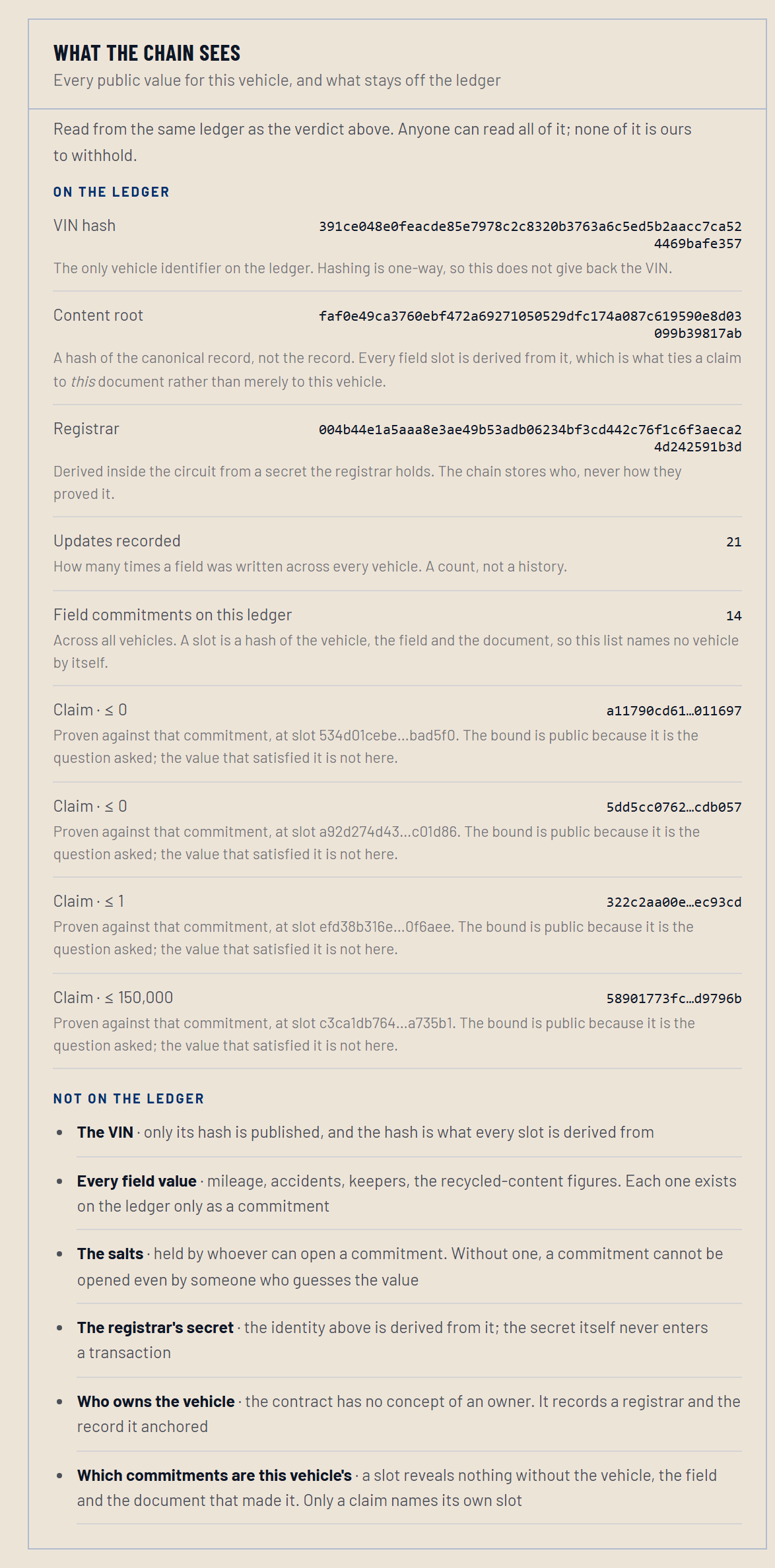
Open WHAT THE CHAIN SEES. It lists every public value for this vehicle, and then everything that stays off the ledger.
Why it works that way
Most systems tell you what they protect. This one lists what it publishes and what it does not, in the same panel, because a verifier who reads silence as a denial is the exact failure this project exists to prevent. The VIN, every field value, the salts and the registrar’s secret are each named as absent rather than left to be worked out.
V08
See who stands behind the record
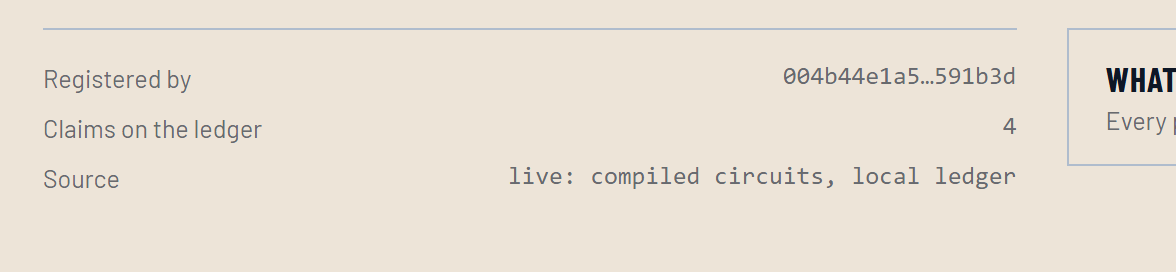
What to do
The summary names the registrar identity, counts the claims on the ledger, and says where the data came from.
Why it works that way
A passport that cannot say who wrote it is not worth checking. The registrar identity is derived inside the circuit from a secret the registrar holds, so the chain records who wrote the record without ever seeing how they proved it, and without anyone being able to write under an identity they do not hold.
V09
Check it yourself, without us
What to do
Open the proofs page for every claim on the ledger, or query the public indexer directly with the command the demo page gives you.
Why it works that way
Nothing above has to be taken on trust, which is the point of putting it on a chain at all. The contract is public, every transaction is public, and you can confirm that the claims resolve without asking us for permission and without an account.